Pou Manawa Akoranga
  • Ngā hononga/Useful links
    Whare Pukapuka/Library Student Landing Page Student Portal (Wisenet) Student Portal - Documents (Wisenet)
  • Āwhina/Help
    eLearning Help Kuputaka/Glossary Whare Pukapuka/Library Support Student Guide to Study Ngā rōpū mahi/Staff Directory Student Landing Page Hauora/Wellbeing Library Access Request Turnitin marking information
You are currently using guest access
Log in
Course index

Blocks

Skip Table of Contents

Table of Contents

Link to Student Guide to Study page

Link Student Landing Page

    eLearning Help

    On Animated navigation
    On Animated navigation
    • Logging into your account

      • File icon
        Te Rito Maioha logging in guide
      • Logging in process information

      • All students are given an Office 365 student account to use while studying any Te Rito Maioha programme/qualification.

        Students are also given access to the Student Landing Page, where they can access all areas of their study, the Office 365 suite and other helpful tools and programmes.

      • Page icon
        Contacting us/Describing the issue
        • Office 365 Software (Microsoft)

          • Page icon
            I can't remember my Office 365 login details - what do I do?
          • Page icon
            I already have an Office 365 account being used on my computer - can I just use that one?
          • Page icon
            I've been locked out of my Office 365 account - what do I do?
          • Page icon
            I have received my Office 365 student login details but they won't work - are they incorrect?
          • Page icon
            When do I get my Office 365 student login details?
          • Page icon
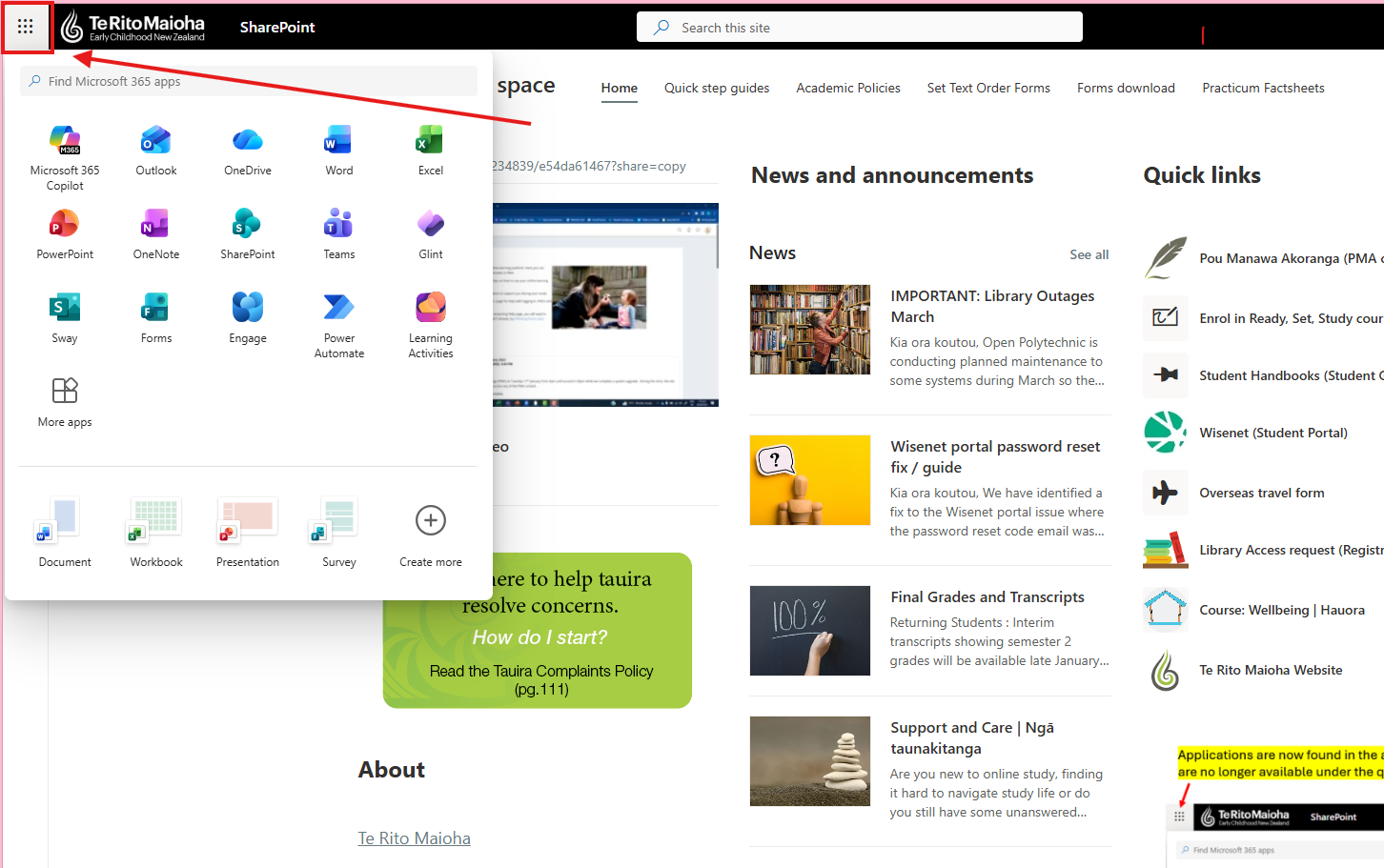
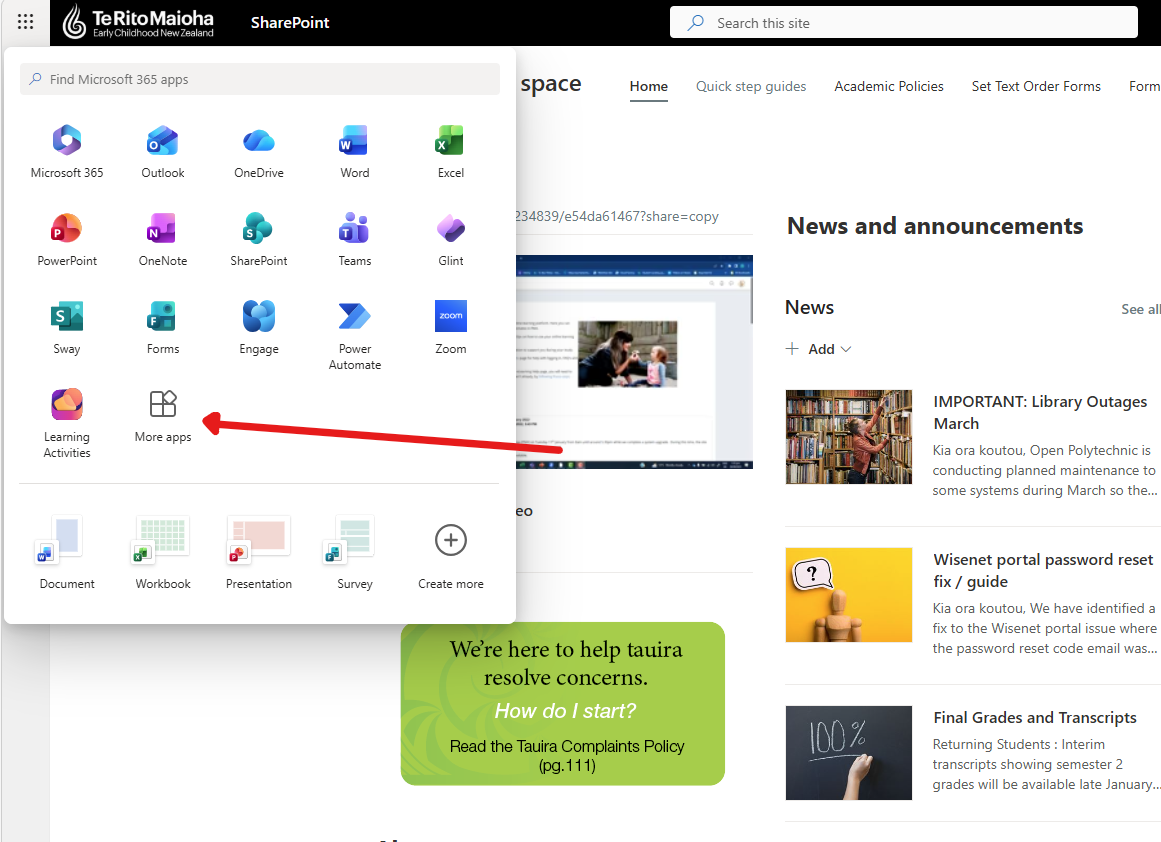
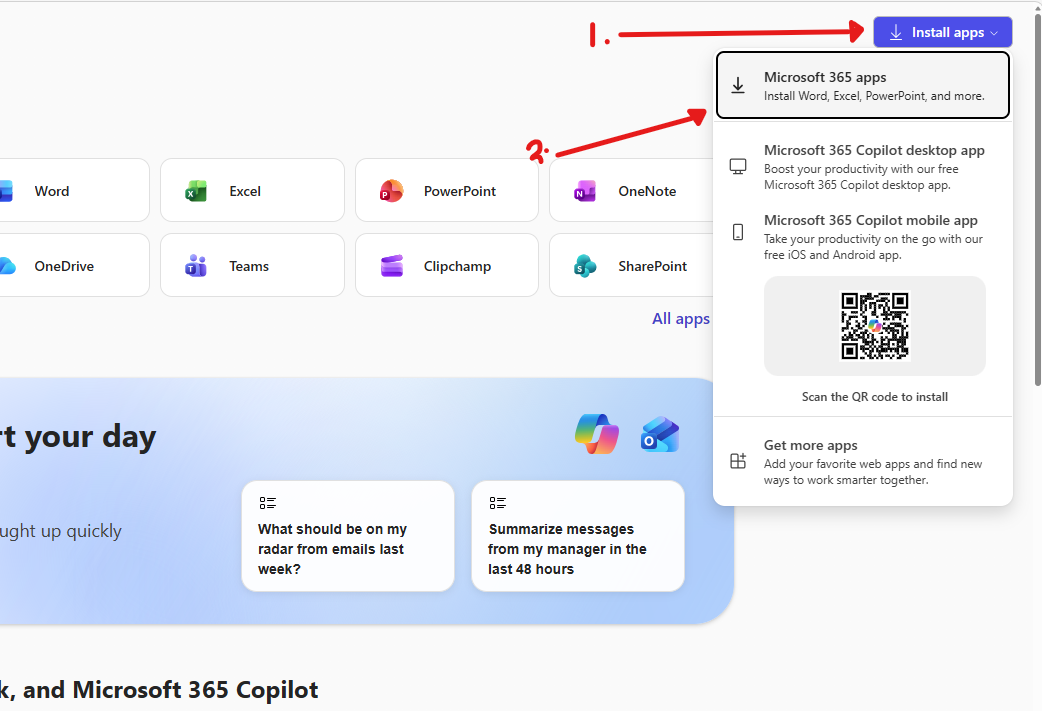
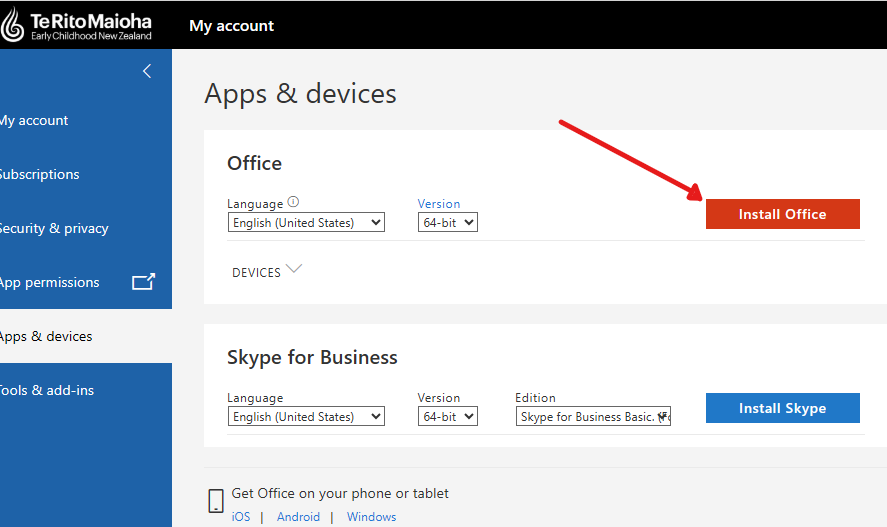
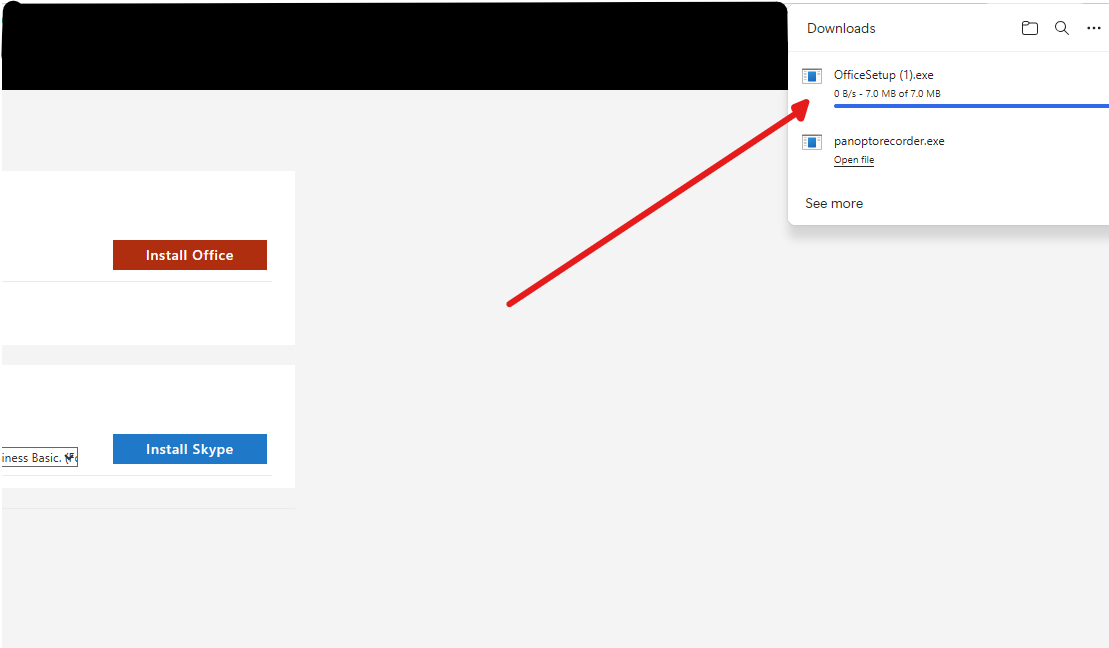
            How can I download the Office software onto my computer? (Word, Excel, etc)
        • Staff|Kaimahi

          • If you are a Te Rito Maioha staff member and need to reset your password for Office365/PMA/Wisenet, etc., please contact the eLearning Helpdesk directly.

            • elearning.helpdesk@ecnz.ac.nz
            • 0800 244 532 (ask to be put through to one of the team)

    Privacy Statement

    Catalyst IT Europe
    Data retention summary
    Get the mobile app

    Fetching learning content...

    Pou Manawa Akoranga
    • Home
    • Calendar